All project-wide settings live under Edit → Project Settings → Plugins → SceneInsight. They're saved to your project's editor config and shared across the team if committed.
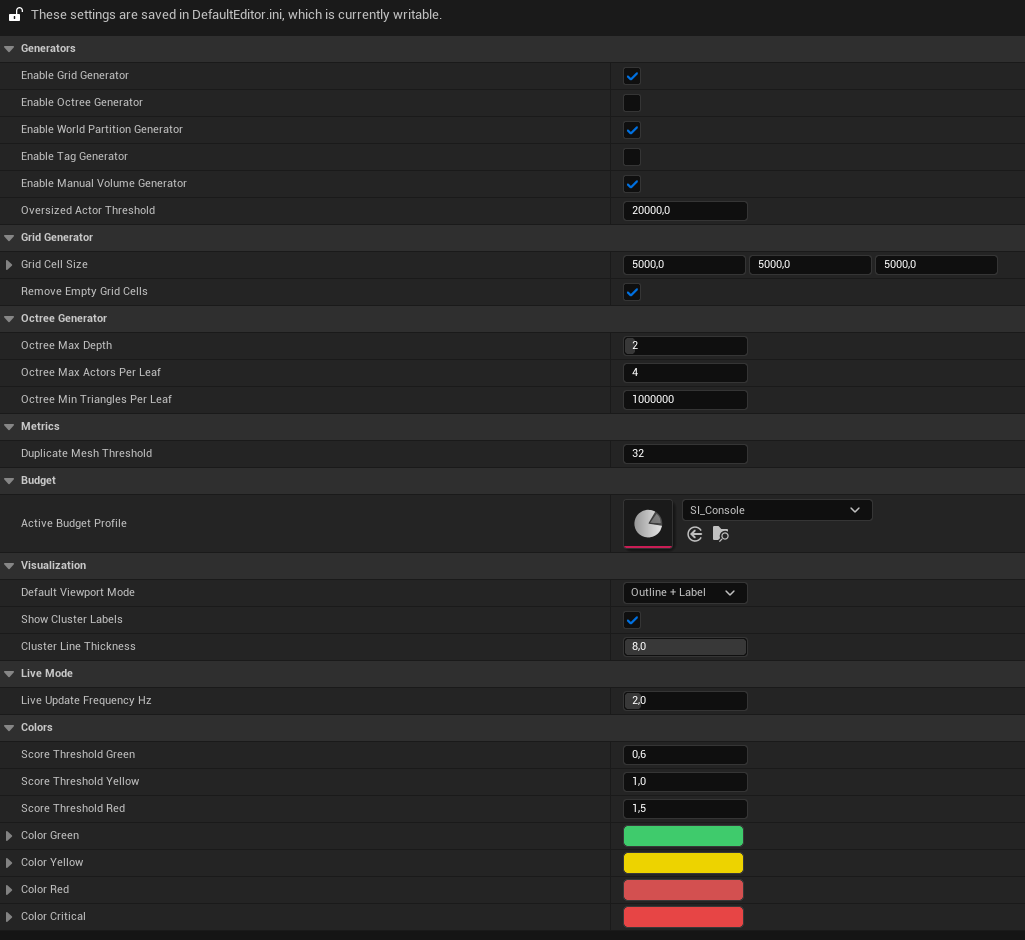
Generators
| Setting | Default | Description |
|---|
| Enable Grid Generator | ✅ | Subdivide the world into a uniform grid |
| Enable Octree Generator | ❌ | Adaptive octree subdivision (denser in crowded areas) |
| Enable World Partition Generator | ✅ | Mirror existing World Partition runtime cells as clusters |
| Enable Tag Generator | ❌ | Group actors by Actor Tag or Outliner folder |
| Enable Manual Volume Generator | ✅ | Use SceneInsight Cluster Volume actors placed in the level |
| Oversized Actor Threshold | 20000 cm | Actors whose max bounds dimension exceeds this are excluded from all clustering (catches sky spheres, skyboxes, landscape-as-mesh). 0 disables |
See Generators for details and the priority rules.
Grid Generator
| Setting | Default | Description |
|---|
| Grid Cell Size | 5000 cm (50 m) | Size of each grid cell, per axis |
| Remove Empty Grid Cells | ✅ | Discard cells with no actors after assignment |
Octree Generator
| Setting | Default | Range | Description |
|---|
| Octree Max Depth | 6 | 1–10 | Maximum recursion depth |
| Octree Max Actors Per Leaf | 50 | ≥ 1 | Split a node above this actor count |
| Octree Min Triangles Per Leaf | 100000 | ≥ 0 | Split a node above this triangle count |
Metrics
| Setting | Default | Description |
|---|
| Duplicate Mesh Threshold | 10 | Minimum instances of the same static-mesh asset in a cluster before it counts as a duplicate. Raise to ignore small repetitions |
Budget
| Setting | Default | Description |
|---|
| Active Budget Profile | (none) | The budget profile applied to all clusters. Empty = built-in default budgets |
Visualization
| Setting | Default | Description |
|---|
| Default Viewport Mode | Wireframe | Overlay style used when Scene Insight activates (Off / Wireframe / Filled / Outline + Label / X-Ray) |
| Show Cluster Labels | ✅ | Show cluster name and score as a viewport label |
| Cluster Line Thickness | 2.0 | Bounding-box line thickness (0.5–8.0) |
Colors
| Setting | Default | Description |
|---|
| Score Threshold Green | 0.6 | Score below this renders green |
| Score Threshold Yellow | 1.0 | Score above this starts lerping toward red |
| Score Threshold Red | 1.5 | Score above this renders saturated red / magenta |
| Color Green / Yellow / Red / Critical | — | The RGB values used at each threshold band |
See Viewport & Heatmap for how the color scale is applied.