Metrics & Scoring
When you Bake, Scene Insight's static collector walks every actor in each cluster and records a deep set of metrics, then condenses them into a single composite score you can sort and color by.
The composite score
Every cluster gets one normalized score:
| Score | Color | Meaning |
|---|---|---|
0.0 | 🟢 Green | Healthy — well under budget |
~1.0 | 🟡 Amber | At budget |
> 1.5 | 🔴 Red / magenta | Critically over budget |
The score is a weighted blend of how far each key metric is from its limit in the active budget profile:
score ≈ Σ ( metric / budget × weight ) (normalized)
Five metrics drive the default score — draw calls, triangles, materials, lights and texture memory — each with its own budget and weight. Change the budget profile and every cluster re-scores. The color thresholds (green < 0.6, amber up to 1.0, red above 1.5) are configurable in Settings.
What gets collected
The collector records far more than the five scored metrics — the extras are available as table columns and in the details panel for manual investigation.
Geometry
| Metric | Notes |
|---|---|
| Total triangles / vertices | Across all meshes in the zone |
| Static / skeletal mesh counts | |
| Estimated draw calls | Heuristic from mesh + material slots |
| Nanite-enabled mesh count, Nanite triangles & ratio | |
| Triangles at LOD0 vs current LOD, LOD-saving potential | Flags meshes that would benefit from LODs |
| Meshes without LODs | |
| Largest mesh triangles, average triangles per mesh, complex-mesh count | |
| Duplicate mesh instances & unique assets | Same asset repeated ≥ Duplicate Mesh Threshold times |
| ISM conversion potential | How much could be saved by instancing duplicates |
| Movable static meshes, per-poly collision meshes, mesh memory |
Materials
| Metric | Notes |
|---|---|
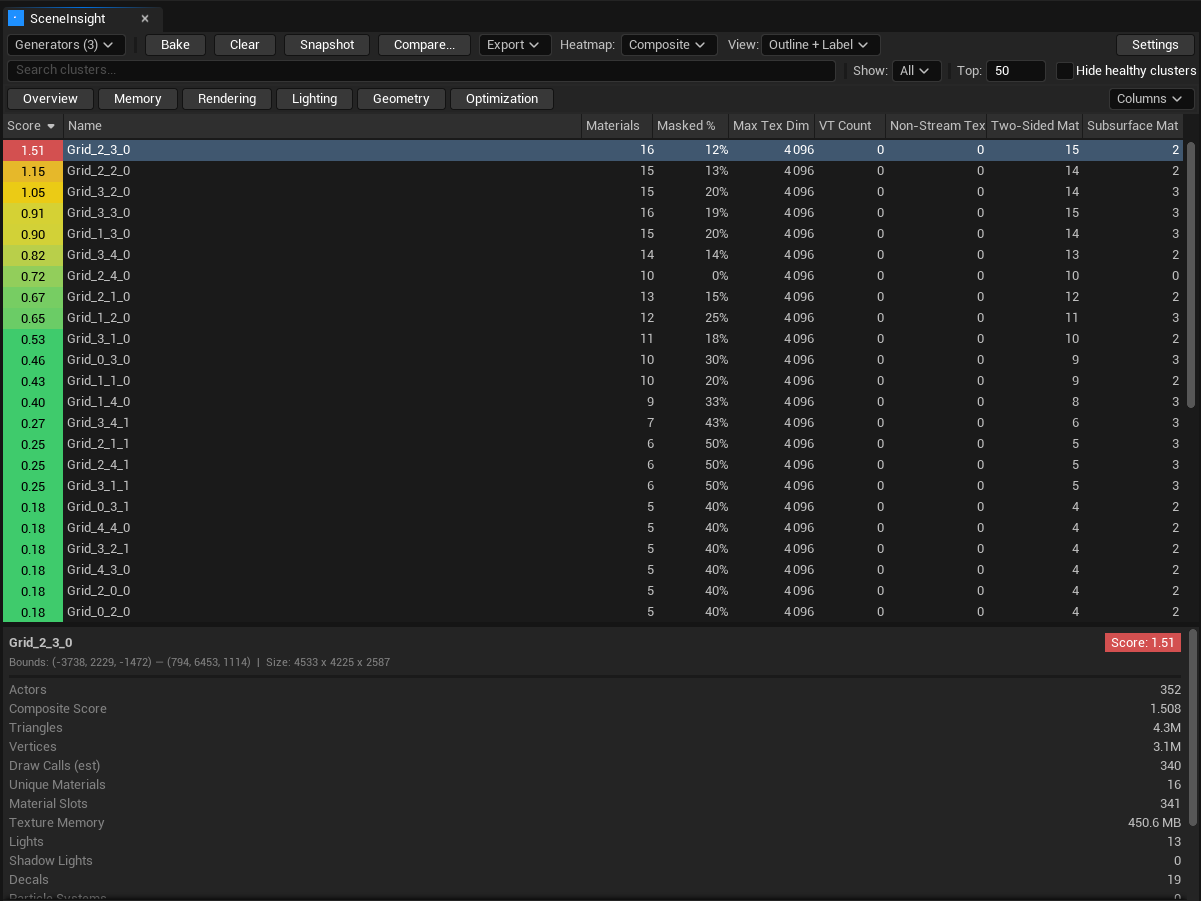
| Unique materials, total material slots | |
| Opaque / masked / translucent / additive counts, masked ratio | Blend-mode breakdown |
| Master vs instance count, master-to-instance ratio | |
| Materials with custom HLSL, two-sided, subsurface | |
| Max texture sampler count |
Lighting
| Metric | Notes |
|---|---|
| Light count, shadow-casting light count | |
| Static / stationary / movable breakdown | |
| Point / spot / rect / directional counts | |
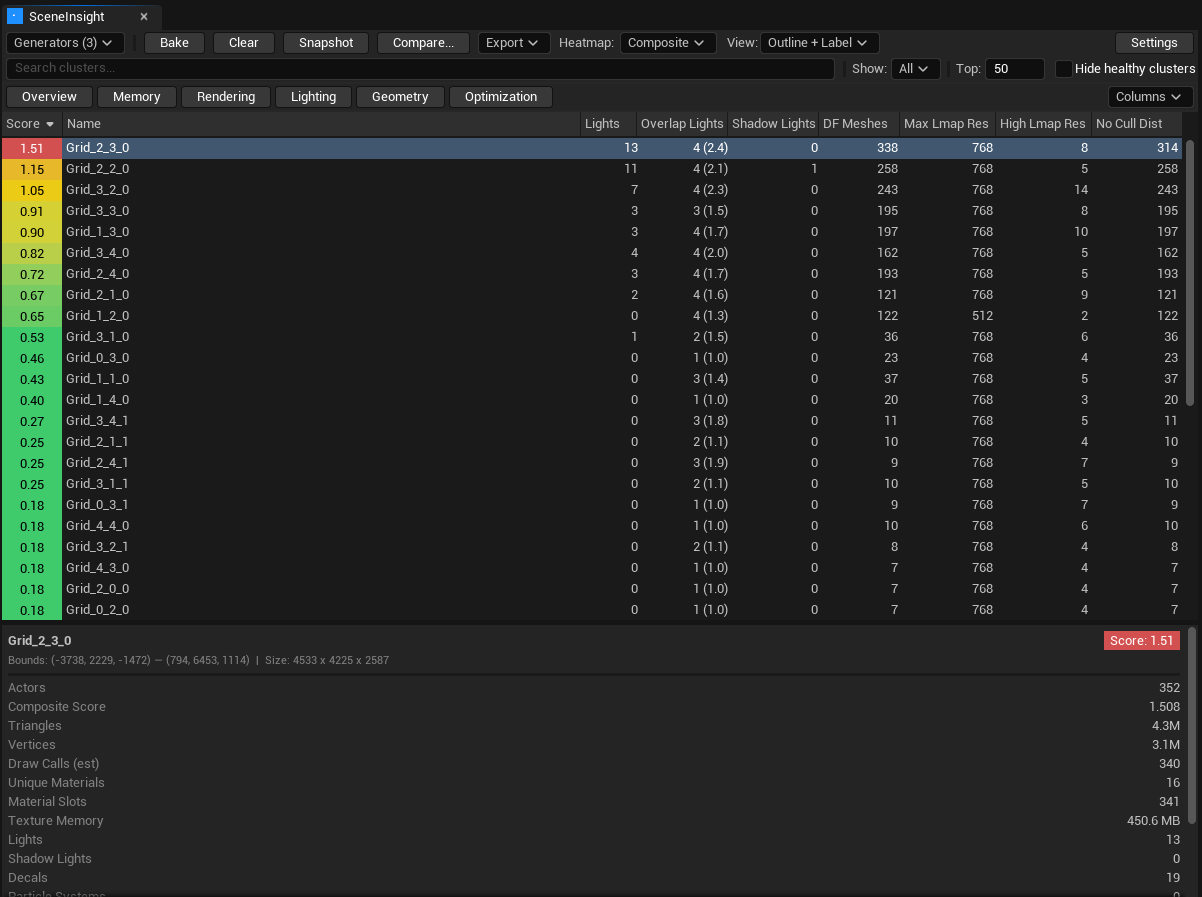
| Overlapping lights (max & average) | Heuristic for light-overdraw hotspots |
| Lights with IES profiles / light functions | |
| Distance-field mesh count, max & high lightmap resolution | Lumen / GI cost |
Memory & textures
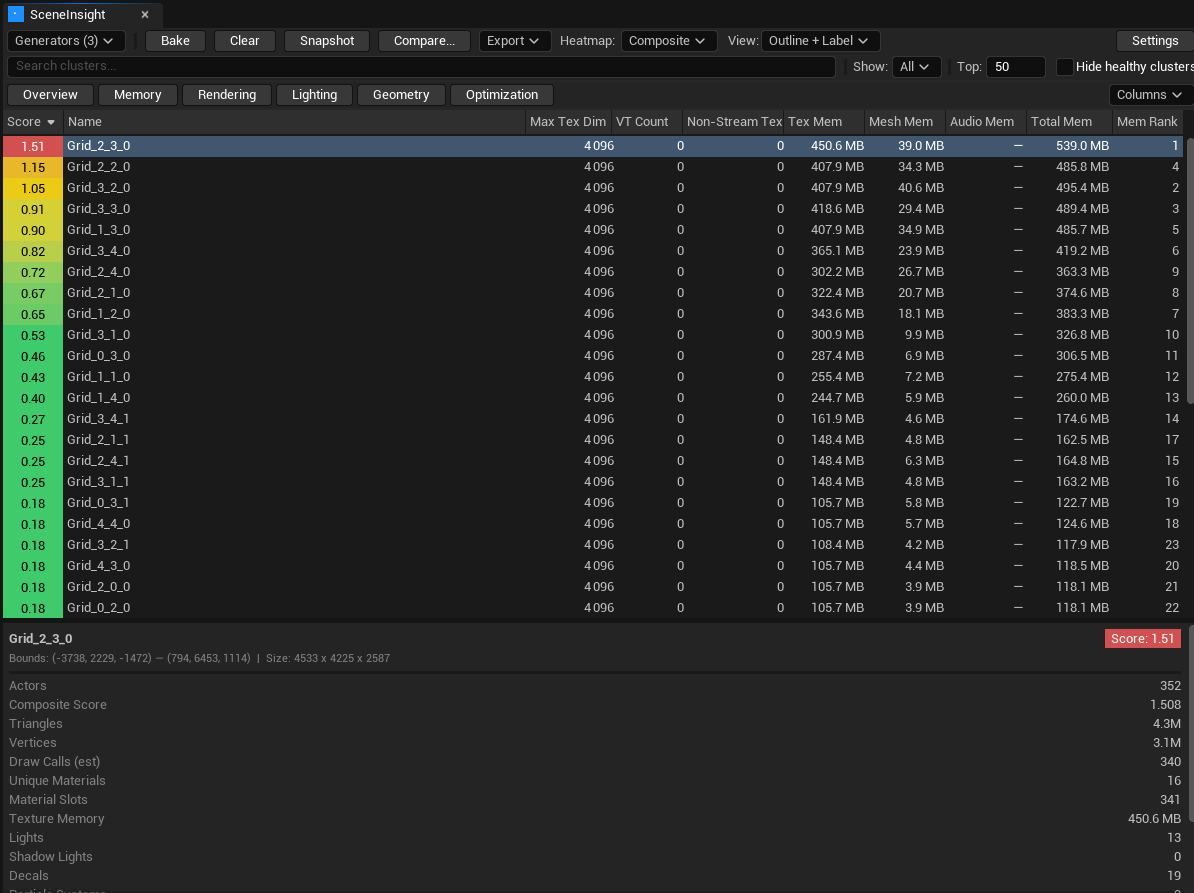
Texture memory, lightmap memory, mesh memory, audio memory, total asset memory, max texture dimension, virtual-texture count, non-streaming texture count, and a relative memory-pressure rank across clusters.
FX, physics & misc
Niagara CPU/GPU emitters, Cascade systems, decals, foliage instance count, particle systems, physics actors & constraints, ticking actors and ticking Blueprint actors.
Derived
| Metric | Notes |
|---|---|
| Asset reuse ratio | Higher = better batching potential |
| Bounds density (triangles / m³) | Geometric concentration |
| Total asset memory |
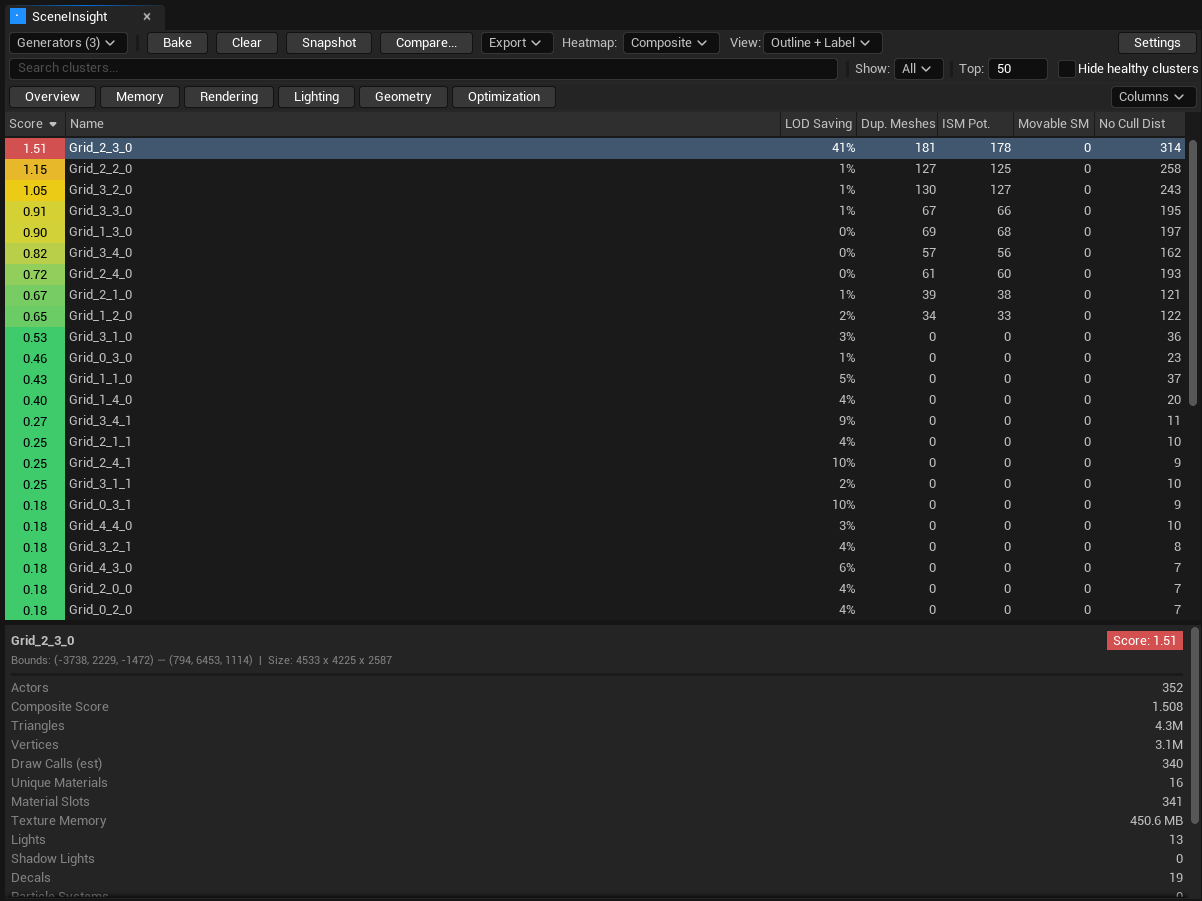
The Optimization preset surfaces the actionable metrics — LOD-saving potential, duplicate meshes, ISM conversion potential — side by side:
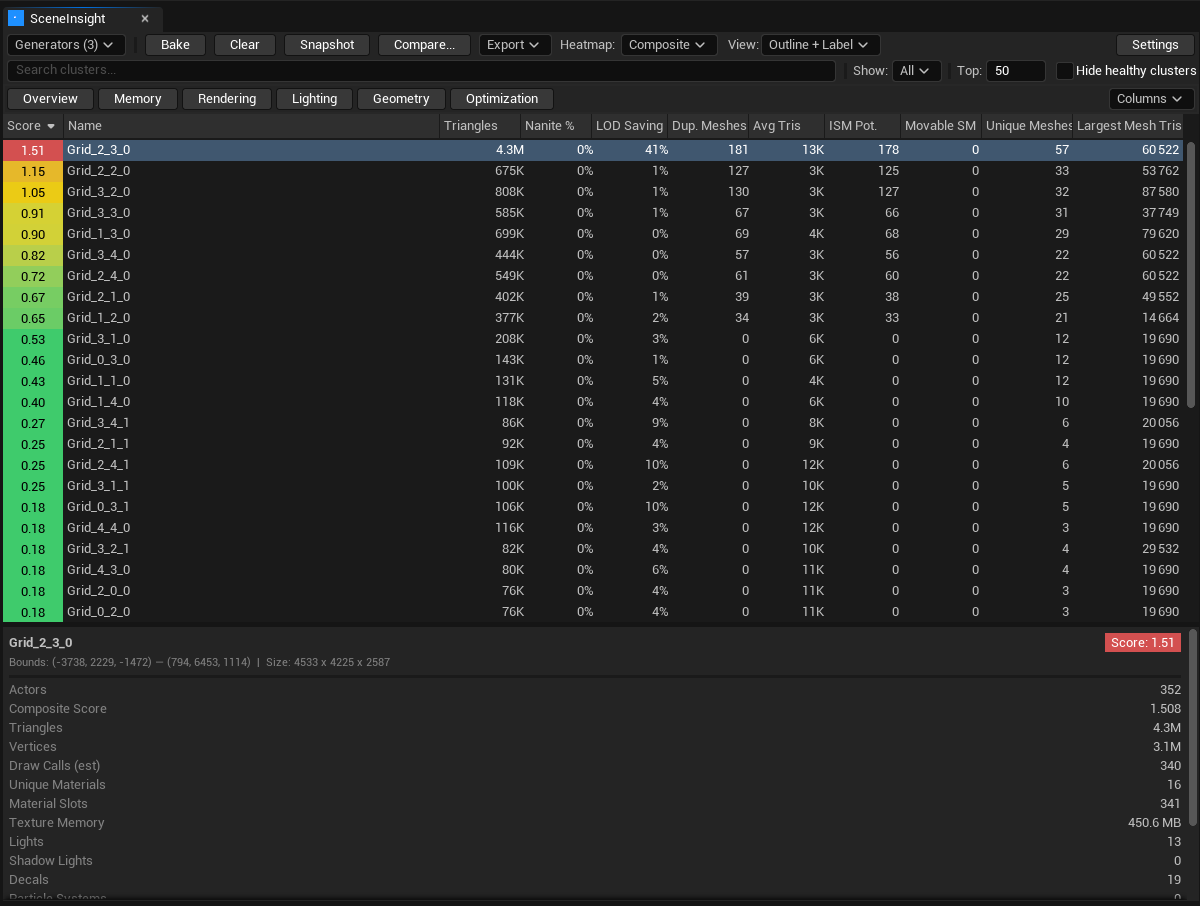
A high duplicate mesh count with strong ISM conversion potential usually means easy wins via instancing. A high overlapping lights value points at light-overdraw. High LOD-saving potential flags meshes shipping full-res geometry where LODs would help.
Duplicate detection threshold
The Duplicate Mesh Threshold (default 10) sets the minimum number of instances of the same static-mesh asset in a cluster before it's counted as a duplicate. Raise it to ignore small repetitions; lower it to catch every reuse. Configurable in Settings.
Static, not runtime
All metrics are collected at bake time by reading the level — there is no PIE/runtime instrumentation and no cost in your shipped game. Re-bake whenever the level changes to refresh the numbers.