2D Marquee Selection
The 2D Marquee mode lets you draw a rectangle directly on the viewport screen to select actors by their projected screen-space position — similar to a classic drag-select, but with the full filter and accumulation system of Volume Editor Picker.
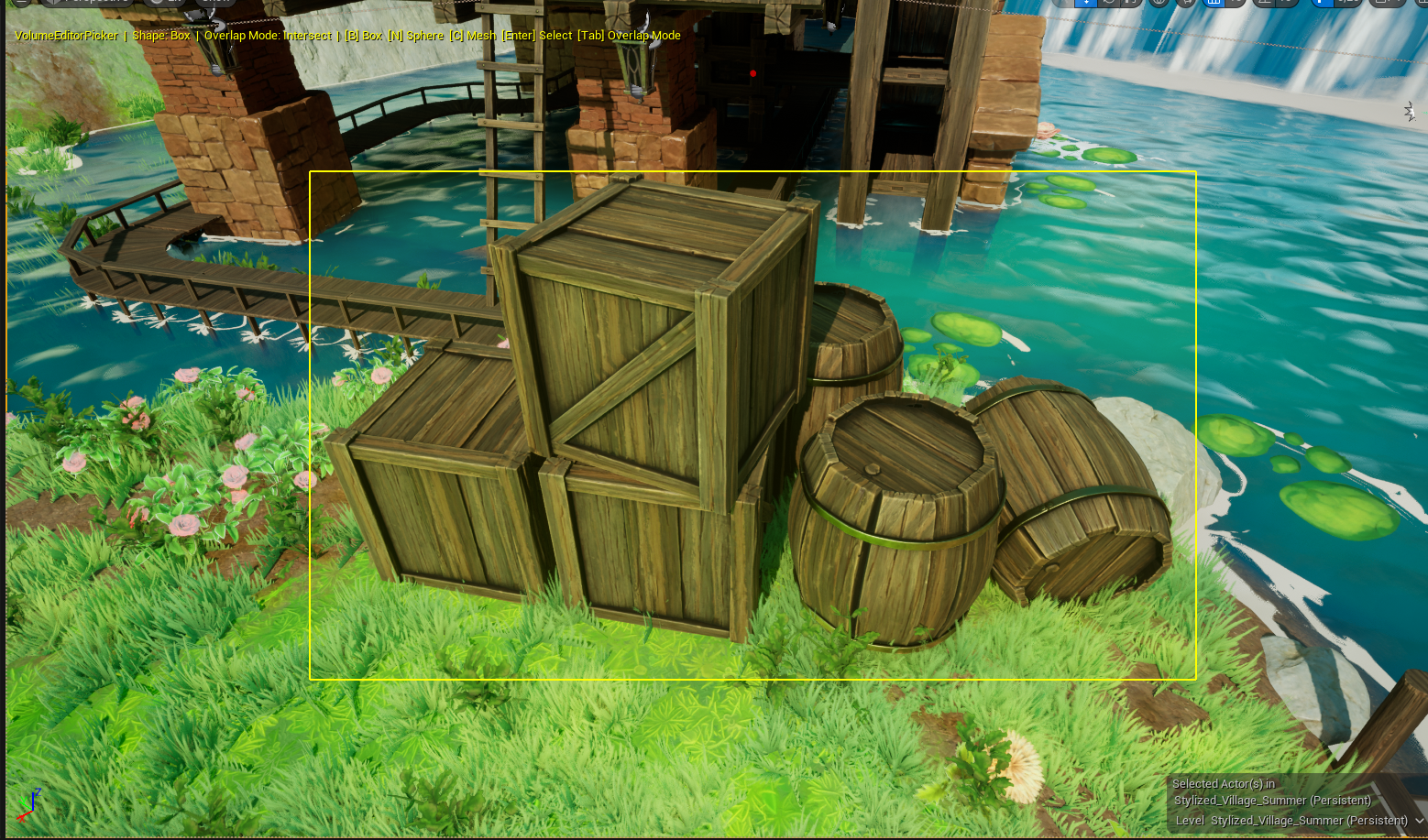
How to use
Hold Shift and drag Left Mouse Button in the viewport to draw a selection rectangle.
Alternatively, hold M while pressing LMB to start a marquee drag.
The rectangle must be dragged large enough to register as a selection. Smaller drags are ignored to avoid accidental clicks.
Visual feedback
While dragging, the rectangle is displayed with:
- A semi-transparent yellow fill
- A solid yellow border
How actors are tested
Each actor's 3D bounding box corners are projected to 2D screen space, then tested against the rectangle:
| Mode | Condition |
|---|---|
| Intersect | At least one projected corner falls inside the rectangle |
| Contain | All projected corners fall inside the rectangle |
All active filters are applied the same way as with volumetric selection.
Accumulation
The marquee respects the same accumulation modes:
| Input | Operation |
|---|---|
| Shift+LMB drag | Replace current selection |
| (same keys as volume) | Add / Remove also supported via panel buttons |